- Insight
- This article solves a specific problem: You've chosen New Balance fall/winter shoes and are about to check out, but you're unsure if your coupon applies, how the minimum spend is calculated, and whether certain styles or payment methods are excluded. After reading, you can perform a verifiable coupon check; if the page doesn't show a confirmable coupon code, rules, or checkout result, stop calculating expected savings. 🧾 
Editor score 4.2 / 5
This article solves a specific problem: You've chosen New Balance fall/winter shoes and are about to check out, but you're unsure if your coupon applies, how the minimum spend is calculated, and whether certain styles or payment methods are excluded. After reading, you can perform a verifiable coupon check; if the page doesn't show a confirmable coupon code, rules, or checkout result, stop calculating expected savings. 🧾
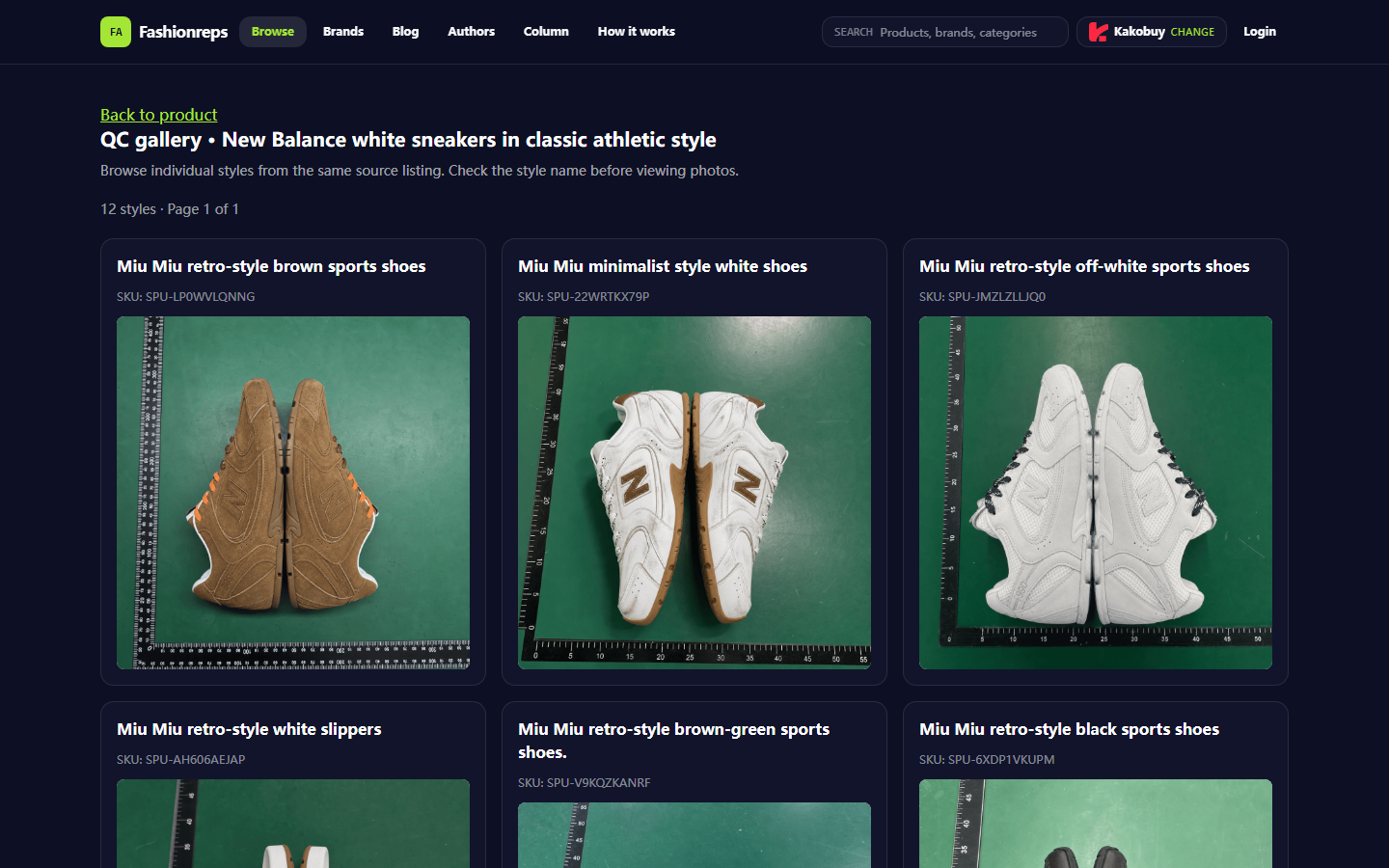
Image caption: Example of Fashionreps product page and its QC entry point. The image only illustrates where to check on the page; it does not indicate a currently available coupon, nor that the product has been purchased or physically tested by the author.
Clarifying the Coupon Determination Before New Balance Shoe Checkout
The goal of coupon verification is not to find a tempting discount number, but to confirm whether the offer can simultaneously meet product, amount, time, region, and payment conditions. Ultimately, you should answer four questions:
- Whether these New Balance shoes are eligible for the coupon.
- Which amounts in the order count toward the minimum spend threshold.
- Whether the coupon is still valid and applies to your shipping region and payment method.
- Whether the coupon has been successfully applied at the actual checkout page.
This article does not apply to situations where you cannot open the product page, cannot view the complete coupon terms, or need to achieve so-called savings through under-declaring, splitting orders to avoid taxes, or bypassing platform restrictions. Coupons are also not equivalent to reductions in international shipping costs, destination country taxes, or after-sales costs.
Confirm Shoe Style, Size, and Current Page Information from the Fashionreps Product Page
First, confirm the shoe name, style, size options, page status, and available purchase path on the Fashionreps product page. The current page materials indicate that the site is used for discovering products, viewing product information, and QC content; ordering, payment, and international shipping are handled by an external shopping agent website chosen by the user. Therefore, the product display on the Fashionreps page alone cannot prove that a particular agent currently accepts the product, nor that an agent-side coupon is available.
Record the following information:
- Product title and specific style, not just "New Balance fall/winter shoes."
- Selected size, color, and quantity.
- Price, currency, and page date shown on the product page.
- Whether the page can enter the corresponding shopping agent's product path.
- Whether the QC images or product information correspond to the current style, not other shoes from the same source.
If the product page only has vague categories, lacks a specific name, or cannot confirm the size-style correspondence, resolve the product identification issue first before judging the coupon. Do not write observations from QC images as conclusions about touching, trying on, or physically inspecting the item.
Find and Record the Coupon Information Visible on the Target Site at That Time
Coupon eligibility rules should be based on the publicly displayed information on the actual ordering agent's website at the time. You can check the agent's coupon center, cart prompts, checkout coupon entry, activity announcements, and order fee details. If the coupon requires login, view it in your own account and do not publicly share order numbers, payment cards, complete shipping labels, or other account information.
Only record what can be verified on the page:
- Coupon code or offer name.
- Discount type, such as fixed amount off, percentage discount, or shipping discount.
- Minimum spend amount and how it is calculated.
- Eligible products, categories, brands, or specified activity scope.
- Start time, end time, and usage limits.
- Applicable region, account conditions, and payment method.
- Whether it can be stacked with other offers.
- Whether the coupon has actually produced a deduction at checkout.
As of the materials provided in this article, there is no current New Balance-specific coupon code, discount amount, or agent-side activity terms that can be independently confirmed. Therefore, it cannot be claimed that a certain coupon is valid, that a certain amount will definitely be saved, or that a certain agent definitely offers New Balance discounts. 🙂
Check Minimum Spend, Eligible Products, and Exclusions
Minimum spend usually cannot be simply understood as the total in the shopping cart. You must see how the coupon terms define order amount, and record product amount, domestic shipping, international shipping, service fees, insurance, taxes, and other additional fees separately. Unless the terms clearly state otherwise, you cannot assume that shipping, taxes, or service fees count toward the threshold.
| Verification Item | What to Confirm | Action if Unconfirmed |
|---|---|---|
| Product scope | New Balance, specific series, specific styles, or excluded brands | Do not automatically consider the shoe style as eligible |
| Amount threshold | Product amount, currency, whether based on post-discount amount | Do not use order total to estimate qualification |
| Exclusions | Clearance items, sale items, collaboration models, specified sources, or specific warehouses | Mark potentially excluded items separately |
| Fee scope | Whether shipping, service fees, insurance, taxes are included | If not stated, do not include in savings estimate |
| Stacking rules | Whether it can be used with new customer coupons, shipping coupons, or activity prices | Final result on checkout page prevails |
If the cart contains New Balance shoes and other items, check each item separately for eligibility. Do not infer that the entire order is discounted just because the cart reaches the spend threshold. If the terms apply only to specific items, the discount may only affect a portion of them.
Check Validity Period, Region, Payment Method, and International Shipping Restrictions
Coupon validity also depends on time, account, shipping region, and payment conditions. Before checkout, confirm the time zone and deadline shown on the page, and note whether the coupon is calculated based on the agent website's time zone. If the expiration time is unclear, do not treat the date in the activity announcement as valid all day.
For international purchases, also judge the coupon separately from shipping, customs clearance, and taxes:
- A coupon does not mean a particular international shipping route is definitely available.
- The fact that an item can be ordered does not mean it can be legally shipped to your destination.
- A shipping discount is not equivalent to a reduction in destination country import taxes and fees.
- You should truthfully declare product information and comply with destination country import restrictions and required documentation.
- Do not create "savings" through under-declaring, splitting orders to avoid taxes, or evading inspections.
If payment method, account level, region, or new customer status are part of the coupon conditions, you must confirm in your own checkout environment. Do not use other people's screenshots or old activity pages to prove that the current order is eligible. 🌍
Verify on the Checkout Page Whether the Coupon Actually Takes Effect
The final judgment must occur on the checkout page, not in the coupon list or promotional banner. After applying the coupon, check the order summary item by item: product subtotal, discount amount, domestic shipping, agent service fee, international shipping, insurance, taxes, and final amount due.
It is recommended to save the following evidence:
- Product name, size, and quantity from the product page or cart.
- Threshold, validity period, and exclusions shown on the coupon rules page.
- Fee details before and after applying the coupon.
- Coupon name, discount amount, or failure reason displayed on the checkout page.
- Currency, shipping region, and shipping options shown on the page.
- Verification date and necessary time zone explanation.
If the page shows "claimed" but the checkout page does not show an actual deduction, do not count it as savings. If the discount amount changes with shipping route, payment method, or product combination, recheck with the final selected order configuration. Do not skip reviewing the order total and fee details just because the button says "applied."
Conditions to Stop Calculating When Information Is Insufficient
Stop calculating expected savings in any of the following situations, and keep a draft or cart status until verifiable information is available:
- The coupon code source is unknown, only third-party forwarded content without rules verifiable on the agent website.
- Whether the product is eligible cannot be confirmed.
- The calculation method for minimum spend is not stated.
- Validity period, region, or payment conditions are missing.
- The checkout page does not show an actual deduction.
- The page shows an error without a clear failure reason.
- Product, shipping, tax, or after-sales conditions have changed.
Stopping calculation does not mean the order has failed; it means avoiding treating an unconfirmed discount as a definite benefit. Later, if the agent website updates official activities or the checkout page shows clear rules, you can re-verify; do not repeatedly submit orders or attempt operations that may cause duplicate charges when the status is unclear.
Save Evidence and Complete the Pre-Checkout Coupon Verification Checklist
Before placing the order, follow this final check sequence:
- Confirm the specific shoe style, size, quantity, and page information on the Fashionreps product page.
- Confirm the actual shopping agent website and its account conditions.
- Open the coupon rules and record the threshold, eligible scope, exclusions, validity period, and stacking rules.
- Calculate product amount, shipping fees, service fees, insurance, and taxes separately.
- Apply the coupon on the checkout page and check the actual discount amount.
- Save necessary screenshots or page records while covering order numbers, addresses, phone numbers, and payment information.
- Only decide whether to proceed with the order when the product, coupon, and total fees are all clear.
Savings should be calculated based on the actual amount reduced on the checkout page, not on advertised discounts or theoretical thresholds. Using a coupon may reduce product or some service costs, but it may also increase risks such as waiting for verification, limiting product combinations, changing shipping options, or losing eligibility for other activities. It is suitable for buyers who are willing to verify terms, save evidence, and accept external agent rules; it is not recommended when coupon conditions are opaque, the checkout page does not show a deduction, or the plan relies on illegal declarations and evading restrictions. ✅